
Keyboard Shortcuts
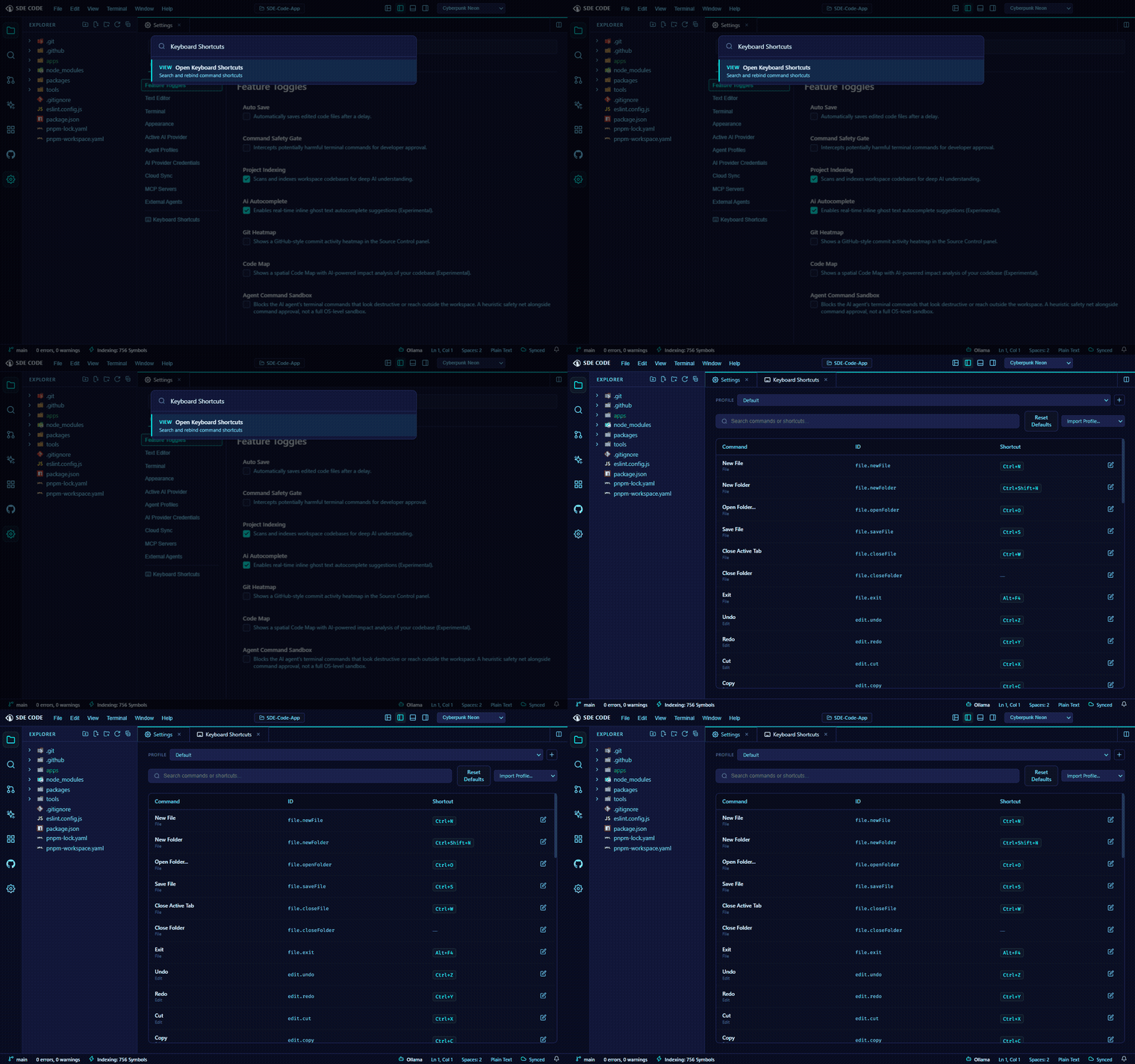
Common shortcuts
| Action | Windows | macOS |
|---|---|---|
| Command Palette | Ctrl+Shift+P |
Cmd+Shift+P |
| Quick Open (go to file) | Ctrl+P |
Cmd+P |
| Save | Ctrl+S |
Cmd+S |
| Toggle Terminal | Ctrl+` |
Cmd+` |
| Inline Chat | Ctrl+I |
Cmd+I |
| Open Folder | Ctrl+O |
Cmd+O |
| Find in Files | Ctrl+Shift+F |
Cmd+Shift+F |
| Toggle Sidebar | Ctrl+B |
Cmd+B |
Customizing
Open Settings → Keyboard Shortcuts to see every command and its current binding, searchable by name or key combination. Click a binding to record a new key combination, or reset it back to default.
Keybinding profiles
Keybindings are organized into profiles — create a new profile to try a different keymap without losing your existing one, and switch between them from Settings. Deleting a profile falls back to Default automatically for any command it doesn’t already exist to reference.